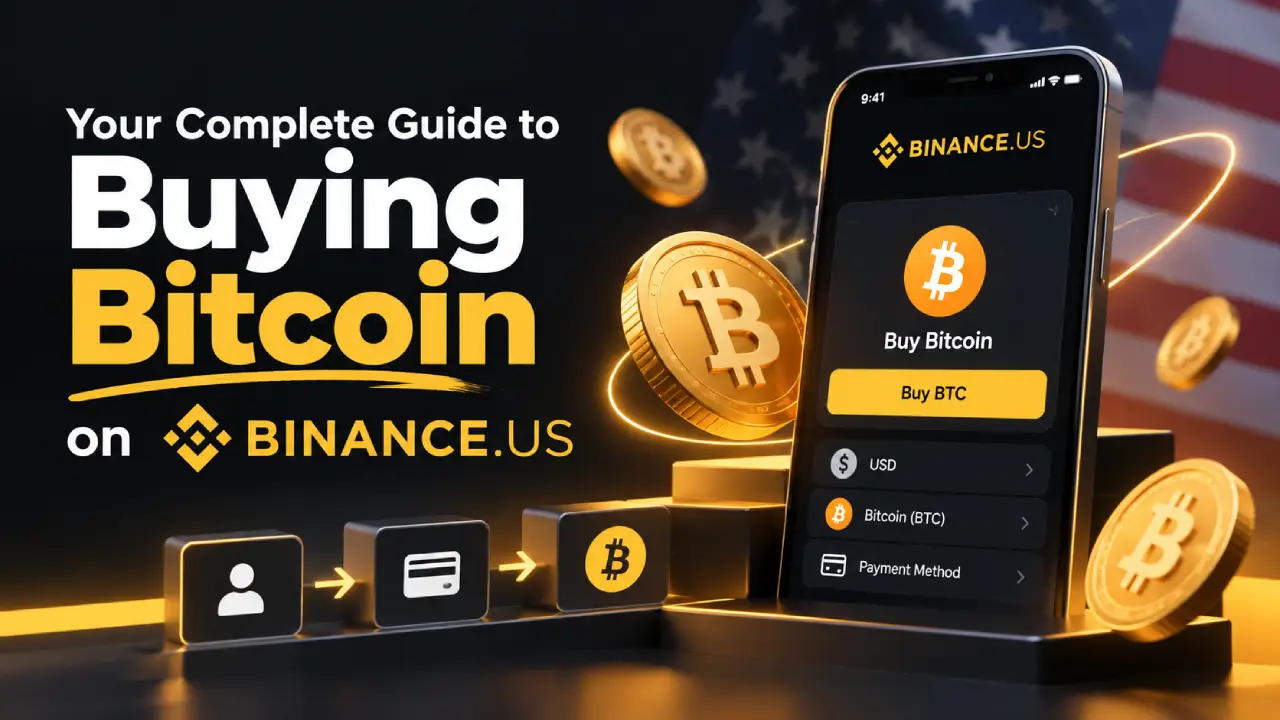
Binance.US has spent the past year rebuilding. The SEC dropped its lawsuit against the exchange in May 2025, dollar deposits and withdrawals came back in early 2025, and in 2026 the platform cut its spot trading fees to some of the lowest in the U.S. market. If you want to buy Bitcoin at a low cost, it’s worth another look.
This guide covers the whole process, from checking that you’re eligible to moving your Bitcoin into a wallet you control. It also explains where the fees are, so you pay less than most first-time buyers do.
What Is Binance.US and How Is It Different from Binance?
Binance.US is a separate, U.S.-registered company. It is not the same as Binance.com, the global exchange. It was set up to serve American customers under U.S. rules, so it has its own coin listings, its own features, and its own compliance team.
The company is now run by CEO Stephen Gregory, who previously held compliance roles at Gemini and CEX.io. According to PYMNTS, Binance.US is expanding beyond spot trading into derivatives and prediction markets to compete with Coinbase and Kraken. Buying Bitcoin is still its core service, though, and the one most people come for.
Can You Use Binance.US in Your State?
Check this before anything else. Binance.US is not available in every state, and some states only get limited service.
| Status | States and Territories |
|---|---|
| Not supported (you can’t register) | Alaska, Connecticut, Georgia, Maine, New York, North Carolina, North Dakota, Ohio, Oregon, Texas, Vermont, Washington, plus American Samoa, Guam, Northern Mariana Islands, and U.S. Virgin Islands |
| Crypto only (no USD deposits or bank linking) | Kansas, Wisconsin |
| Full service | Most other states |
Source: Binance.US Help Center, last updated June 2026.
The list is getting shorter. In August 2026 the company said it was live in about 40 states and expected to be available nationwide within weeks. A CryptoSlate review from September 2026 put the number of excluded states at twelve. If you live in one of the states above, check the official help page, because your state may have been added since.
What You Need Before You Start
Having these ready will make setup quicker:
- A valid email address and phone number
- Your Social Security number
- A government-issued photo ID (driver’s license, passport, or state ID)
- Your residential address
- A U.S. bank account or debit card for funding
- An authenticator app such as Google Authenticator or Authy for two-factor security
How to Buy Bitcoin on Binance.US Step by Step
Step 1: Create Your Account
Download the Binance.US app from the App Store or Google Play, or go to the website. Enter your email, create a strong password, and confirm your email address with the code Binance.US sends you.
Step 2: Complete Identity Verification
U.S. law requires exchanges to verify their customers. Binance.US has two levels. Basic verification asks for your legal name, date of birth, SSN, and address. Advanced verification adds a photo ID and a facial scan. You’ll need Advanced verification to use every feature, so it makes sense to do it right away.
Step 3: Turn On Two-Factor Authentication
Do this before you deposit any money. Binance.US supports SMS codes and authenticator apps. Choose the authenticator app, because SMS codes can be intercepted through SIM-swap attacks.
Step 4: Fund Your Account
This is the step that has the biggest effect on what you pay. Here are the funding options:
| Funding Method | Deposit Fee | Speed | Best For |
|---|---|---|---|
| ACH bank transfer | Free | 1 to 3 business days (you can often trade before it settles) | Most buyers, regular purchases |
| Wire transfer | $0 from Binance.US (your bank may charge) | Same day to 1 day | Large purchases |
| Debit card | 3.99% | Instant | Small, urgent buys |
| Apple Pay (linked debit card) | Card fees apply | Instant | Mobile convenience |
| Crypto deposit | Free | Depends on network | People who already hold crypto |
Source: Binance.US Fee Schedule.
For most people, ACH is the best choice. It’s free, and Binance.US often lets you use the money to buy crypto before the transfer has fully cleared.
Step 5: Choose How You Want to Buy
There are two ways to buy Bitcoin on Binance.US, and their costs are very different.
Option A: Buy Crypto (the simple way). In the app, tap the yellow Buy button, choose Bitcoin, enter a dollar amount, tap Preview Buy, and confirm. On the website, click Buy Crypto in the top-right corner and follow the same steps. The official guide walks through each screen. It’s fast, but the fee is built into a spread in the price instead of shown as a separate line.
Option B: Advanced spot trading (the cheaper way). Switch to the Advanced trading view, open the BTC/USD market, and place an order. You pay the exchange’s maker/taker fees, which in 2026 are very low.
Step 6: Place Your Order
In Advanced trading, you’ll mainly use two order types:
- Market order: buys right away at the best available price. You pay the taker fee.
- Limit order: you set the price you’re willing to pay, and the order fills only if the market reaches it. If it sits on the order book, you pay the maker fee, which is currently 0%.
If you’re not in a hurry, placing a limit order a little below the current price is the cheapest way to buy Bitcoin on the platform.
Step 7: Decide Where to Keep Your Bitcoin
You can leave your BTC on the exchange or withdraw it to your own wallet. Both options are covered in more detail below.
Binance.US Fees Explained
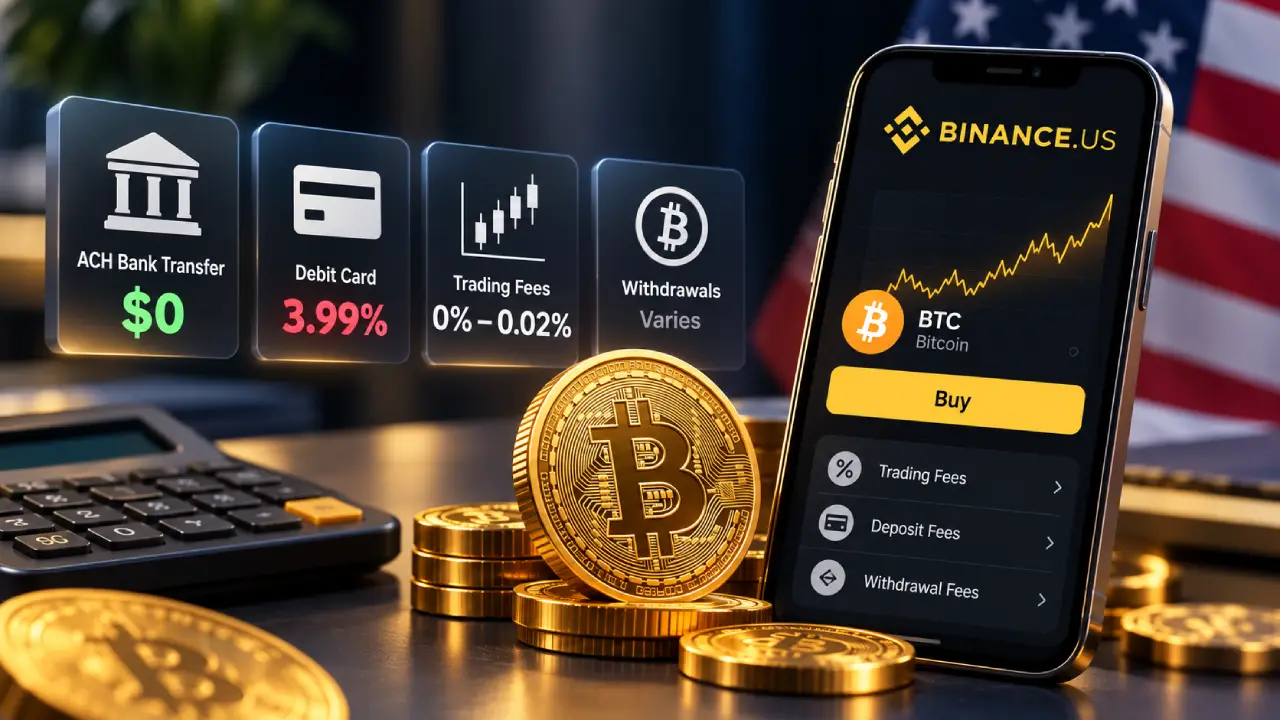
Binance.US changed its pricing in 2026. Here is the current spot trading fee structure:
| Trading Pair | Maker Fee | Taker Fee |
|---|---|---|
| BNB/USD (Tier 0) | 0% | 0.01% |
| All other pairs, including BTC/USD | 0% | 0.02% |
| Any pair at $500M+ monthly volume | 0% | 0.01% |
Source: Binance.US Fee Schedule. Paying fees in BNB gives a further 5% discount.
Buy Crypto and Convert don’t use these rates. They charge through a spread built into the quoted price. Coin Bureau’s review estimated the instant-buy markup at about 0.5%, though the exact amount can change with market conditions.
What a $1,000 Bitcoin Purchase Really Costs
Here is how much the route you choose matters:
| Purchase Route | Approximate Cost on $1,000 |
|---|---|
| ACH deposit + limit order (maker) | $0 |
| ACH deposit + market order (taker) | About $0.20 |
| ACH deposit + Buy Crypto feature | About $5 (spread estimate) |
| Debit card + Buy Crypto feature | About $45 (3.99% card fee plus spread) |
Estimates based on published fees; actual spreads vary.
Paying by card and then using instant buy can cost more than 200 times as much as funding by bank transfer and placing a limit order. If you only change one habit, make it this one.
Withdrawal Fees
ACH withdrawals to your bank are free. Wire withdrawals cost a flat $25, plus anything your bank charges. Bitcoin withdrawals have a dynamic fee that changes with network congestion, and Binance.US shows you the exact amount before you confirm.
Understanding the 7-Day Withdrawal Hold
Many new users are caught off guard by this. When you buy crypto with money from an ACH transfer, a debit card, or Apple Pay, you can trade it on Binance.US immediately. However, the platform places a 7-day hold before you can withdraw the value of that purchase off the platform.
This is a normal fraud-protection measure, and other U.S. exchanges have similar rules. Plan for it. If you want to move Bitcoin to a hardware wallet the day you buy it, pay by wire transfer instead.
Setting Up Auto-Buy for Dollar-Cost Averaging
Trying to time the Bitcoin market is stressful and rarely works. Many long-term investors use dollar-cost averaging instead, which means buying a fixed amount on a regular schedule no matter what the price is.
Binance.US has a built-in tool for this called Auto-Buy. To set it up, tap Buy, choose Bitcoin, enter an amount, switch Auto-Buy on, and pick a frequency.
| Auto-Buy Frequency | Works Well For |
|---|---|
| Daily | Spreading purchases as evenly as possible |
| Weekly | A good balance for most budgets |
| 1st and 15th of the month | Matching a twice-monthly paycheck |
| Monthly | Hands-off, long-term saving |
Auto-Buy works with ACH, debit cards, Apple Pay, and your USD balance. Keep in mind that it uses the Buy Crypto feature, so you pay the spread. That’s the trade-off for convenience.
Buy Crypto vs. Advanced Trading: Which Should You Use?
| Feature | Buy Crypto | Advanced Trading |
|---|---|---|
| Ease of use | Very easy | Takes some learning |
| Cost | Spread built into price | 0% maker / 0.02% taker |
| Order types | Market only | Market, limit, stop-limit, OCO, post-only |
| Charts | None | Full TradingView charts |
| Recurring buys | Yes (Auto-Buy) | No |
| Best for | Beginners, small or automated buys | Cost-conscious buyers, larger amounts |
A sensible approach for many people is to use Auto-Buy for small weekly purchases and Advanced trading with limit orders for larger one-time buys.
Keeping Your Bitcoin Safe
Security Features on Binance.US
Binance.US keeps most customer assets in offline cold storage in the United States and completed a SOC 2 Type II audit in January 2026. You can also whitelist withdrawal addresses, so crypto can only be sent to wallets you have approved in advance.
There are limitations. As of September 2026, the exchange does not offer a Merkle-tree proof-of-reserves tool that lets customers independently confirm their balances are backed. Crypto held on any exchange is also not covered by FDIC insurance.
Exchange Storage vs. Self-Custody
| Factor | Keep BTC on Binance.US | Move to Your Own Wallet |
|---|---|---|
| Convenience | High, ready to trade | Lower, extra steps to sell |
| Control | The exchange holds your keys | You hold your keys |
| Main risk | Exchange failure or account freeze | Losing your seed phrase |
| Cost | Free | Network fee to withdraw |
| Best for | Active traders, small amounts | Long-term holders, large amounts |
The crypto saying “not your keys, not your coins” exists for a reason. If you plan to hold Bitcoin for years, a hardware wallet from a reputable maker is worth considering. Write your seed phrase on paper or metal, store it somewhere safe, and never enter it on a website.
How to Withdraw Bitcoin to a Personal Wallet
- Copy your Bitcoin receiving address from your wallet.
- In Binance.US, go to Wallet, choose BTC, and tap Withdraw.
- Paste the address and make sure you select the Bitcoin network.
- Send a small test amount first.
- Once the test arrives, send the rest.
Bitcoin transactions can’t be reversed, so check the first and last few characters of the address before you confirm.
Common Mistakes to Avoid
- Funding with a debit card by default. The 3.99% fee takes a noticeable bite out of every purchase.
- Using instant buy for large amounts. On bigger orders, the spread adds up quickly compared with a limit order.
- Skipping two-factor authentication. Accounts without 2FA are the easiest targets for attackers.
- Ignoring the 7-day hold. Plan your withdrawals so the delay doesn’t catch you out.
- Falling for fake support. Binance.US staff will never ask for your password, 2FA codes, or seed phrase. Scammers pretending to be support agents are common on social media.
Pros and Cons of Buying Bitcoin on Binance.US
| Pros | Cons |
|---|---|
| 0% maker fees on spot trading | Not yet available in every state |
| Free ACH deposits and withdrawals | 7-day hold on ACH and card-funded withdrawals |
| Bitcoin purchases from $1 | No customer-verifiable proof of reserves |
| Auto-Buy for dollar-cost averaging | Customer support can be slow, according to reviewers |
| Advanced order types and TradingView charts | Debit card purchases are expensive |
Frequently Asked Questions
What is the minimum amount of Bitcoin I can buy on Binance.US?
You can buy as little as $1 worth of Bitcoin. Bitcoin can be split into very small units, so you don’t need to buy a whole coin.
Is Binance.US legal in the United States?
Yes. Binance.US is a U.S.-registered company that operates under state licenses. It isn’t available in every state yet, so check the supported-states list before you sign up.
How long does it take to buy Bitcoin on Binance.US?
Once your account is verified, the purchase happens in seconds. Verification usually takes minutes to a few hours. ACH deposits take one to three business days to settle, though you can often trade before then.
Is Binance.US the same as Binance?
No. Binance.US is a separate company for U.S. residents, with its own licenses, listings, and fee schedule. Americans generally can’t use Binance.com.
What is the cheapest way to buy Bitcoin on Binance.US?
Deposit dollars by ACH, which is free, then place a limit order on the BTC/USD market in Advanced trading. If the order rests on the book before it fills, you pay the 0% maker fee.
Do I have to pay taxes on Bitcoin I buy?
Buying Bitcoin with dollars isn’t a taxable event in the U.S. Selling, trading, or spending it usually is. Keep records of your purchases and speak with a tax professional about your situation.
One Last Thing
Binance.US is now one of the cheapest places in the U.S. to buy Bitcoin, provided you use it well. Fund by ACH, use limit orders for larger buys, set up Auto-Buy if you want to save regularly, and move long-term holdings to a wallet you control. Check that your state is supported, turn on two-factor authentication, and allow for the 7-day hold.
This article is for educational purposes only and isn’t financial advice. Cryptocurrency prices are volatile, and you could lose some or all of your investment. Fees and state availability can change, so confirm current details on Binance.US before you buy.